246 private links
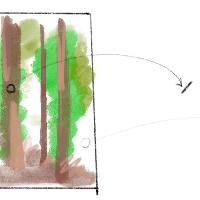
On this page, we will write code using physical tools like pencils, brushes, and paint as inspiration. While there are many great tools available, such as Procreate or Adobe Fresco, or you can simply ask AI to "paint like Van Gogh," I assure you that you can learn a lot and have fun by doing it yourself. By observing things and attempting to express them in code, you can develop your skills and perspective. The freedom to design your own tools can be an invaluable asset for your creativity.

"🎭 http://shaderbooth.com ✨ is a new website for writing and playing with indie face filters!
Try playing with the presets or live-editing your own filter in the language GLSL."
Shader "KRZ" { Properties { _Color ("Main Color", Color) = (1.0, 1.0, 1.0, 1.0) _MainTex ("Color (RGBA)", 2D) = "white" {} _LightCutoff ("Light Cutoff", Range(0.0, 1.0)) = 0.2 } SubShader { Tags { "RenderType"="Opaque" } LOD 200 CGPROGRAM #pragma surface surf KRZ fullforwardshadows sampler2D _MainTex; float4 _Color; float _LightCutoff; struct SurfaceOutputKRZ { fixed3 Albedo; fixed Alpha; fixed3 Emission; fixed3 Normal; fixed Specular; }; struct Input { float2 uv_MainTex; }; void surf (Input IN, inout SurfaceOutputKRZ o) { fixed4 tex = tex2D(_MainTex, IN.uv_MainTex) _Color; o.Albedo = tex.rgb; o.Alpha = tex.a; o.Emission = fixed3(0.0,0.0,0.0); // Stop DX11 complaining. } inline fixed4 LightingKRZ (SurfaceOutputKRZ s, fixed3 lightDir, fixed3 viewDir, fixed atten) { atten = step(_LightCutoff, atten) atten; float4 c; c.rgb = (_LightColor0.rgb s.Albedo) (atten * 2); c.a = s.Alpha; return c; } ENDCG } FallBack "VertexLit" }
Shader Toy + Google Map + Panoramic Explorer